Set up a pipeline
Name each stage after a real decision or handoff in your sales process.
Reviewed September 7, 2026
Browse all guides
On this page
A pipeline shows where each opportunity stands. Its stages should help someone understand the next decision without opening every deal.
Use stages your team can prove
Good stages describe something that happened: Qualified, Site visit booked, Quote sent, or Decision due. Avoid stages based only on confidence, such as Likely or Hot.
Keep the list short enough to scan. Add a stage only when moving into it changes what the team should do next.
Edit the stages
Open Settings, then Pipelines. Rename the default stages, put them in the right order, and add another pipeline only when a second sales process is genuinely different.
Move deals as the facts change
Drag a deal forward when the customer reaches the next stage. If the opportunity stops, mark it lost and record the reason instead of leaving it in the board.
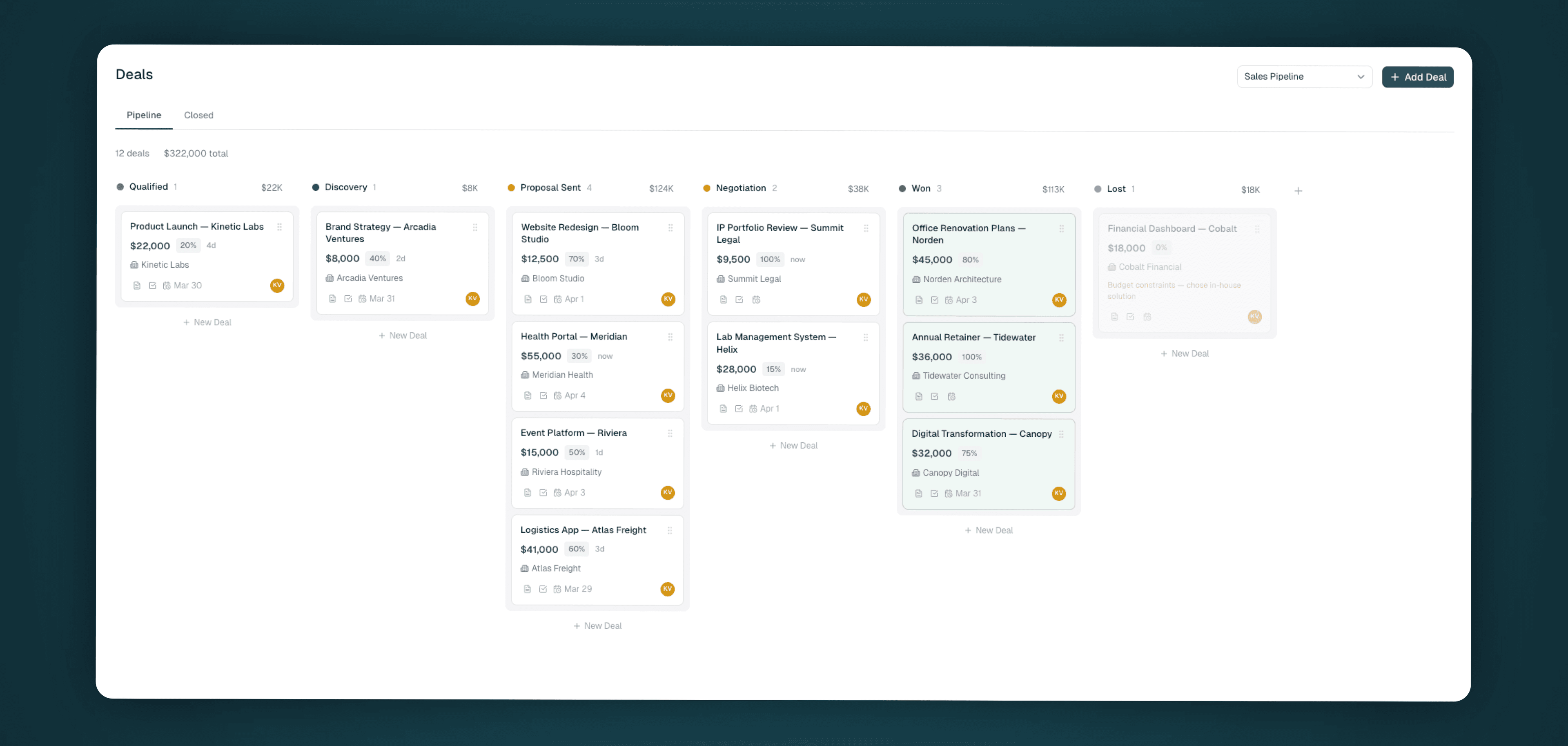
Liteo keeps the stage history, so the current board stays useful without erasing how the deal moved.
Keep the board honest
Review deals that haven't moved and any follow-up date that has passed. A smaller pipeline with accurate stages is more useful than a large pipeline full of old possibilities.
Related guides
Still stuck?
Tell us what you expected and what happened. We’ll help you find the cause.
Email hello@liteo.io